This guide explains what recipients typically see when they receive an EviSMS and how they read the certified communication on their mobile device.
Exact wording, sender details, mobile appearance, and supported features can vary by issuer configuration, device, carrier, and whether the communication is delivered through SMS or RCS. This guide describes the standard EviSMS recipient flow, where the certified content is delivered directly in the mobile message.
In standard EviSMS integrations, the certified content is delivered directly in the SMS or RCS message.
Depending on configuration, you may receive the communication as:
- an SMS message
- an RCS message
- a channel selected based on configuration, delivery path, and device or network conditions
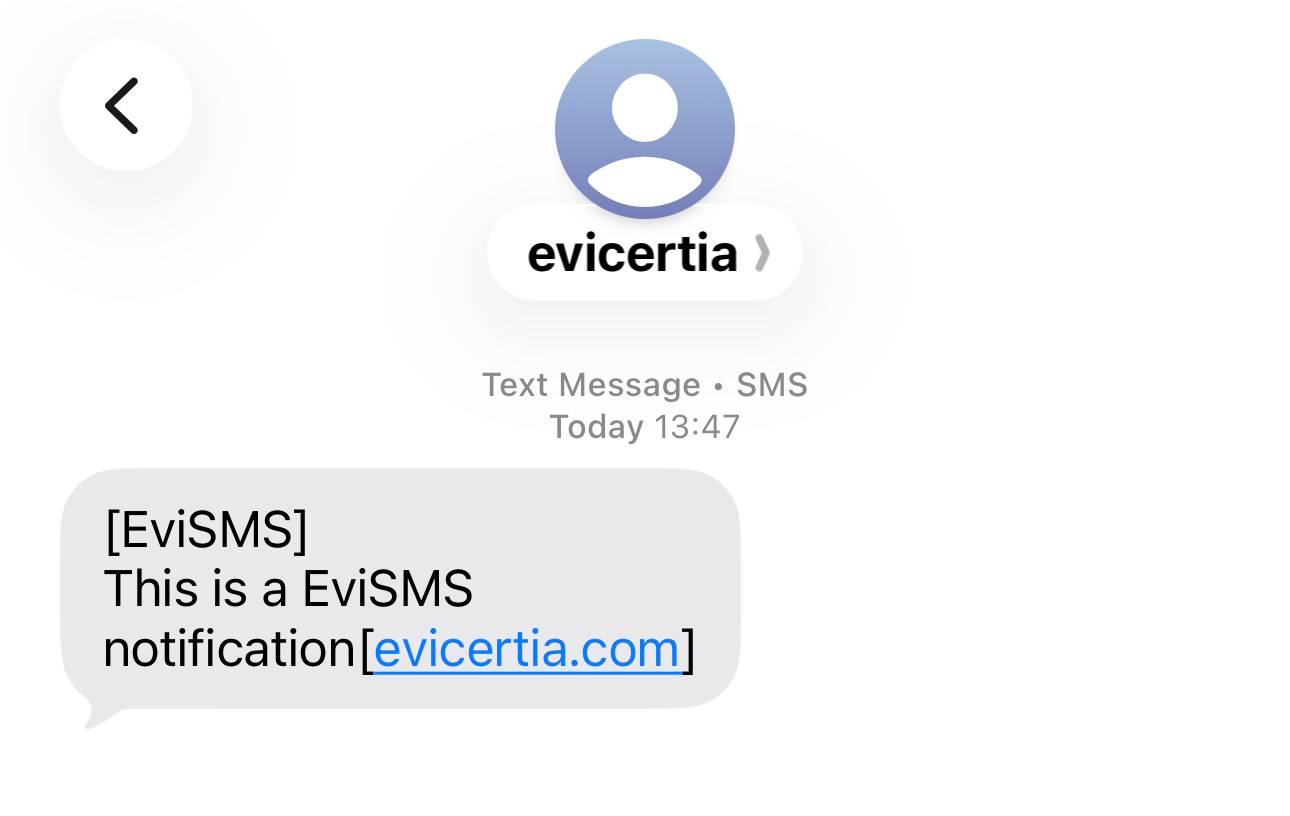
Depending on the selected channel, the message may show:
- the sender or issuer identification
- the message text itself as the certified content
- a visual indicator that identifies the communication as certified, where the selected channel supports it
Before using this guide, make sure that:
- you have access to the mobile number where the communication was sent
- your device can receive SMS messages, or RCS messages if that channel is supported on your device and network
- you can open the messaging app or client where the communication arrived
- if you have questions about the message content, you know who the issuer or sender is
- Open the messaging app on your mobile device.
- Open the EviSMS or RCS conversation you received.
- Review the sender identification and message text.
- Confirm that the communication is the one you expect.
In the standard flow, the certified content is the SMS or RCS text itself.
- Read the message directly in the SMS or RCS conversation.
- Review the full text if the communication is split across multiple SMS segments.
- Keep the message available in your device if you need to refer to it later.
If the issuer configured multiple delivery channels, the communication may arrive as RCS on some devices and as SMS on others. This can change the visual appearance of the message without changing the communication purpose.
EviSMS is designed for mobile delivery. In common recipient flows:
- you receive the communication on your phone by SMS or RCS
- the certified content is delivered in the message itself
- you do not normally complete an accept or reject workflow as part of standard EviSMS
If your process requires formal acceptance or rejection by the recipient, the issuer typically needs to use another service, such as EviMail or EviNotice.
You receive the certified communication on your mobile device and read the content directly in the SMS or RCS channel. Namirial Notify can record that the message was sent, delivered, and, where supported, read.
For EviSMS, Namirial Notify can record evidence for:
- message sending
- delivery to the recipient's device
- a read receipt, when the message is delivered through RCS and the recipient’s device and service provide it
The direct EviSMS flow has no formal acceptance or rejection step. If the issuer separately provides access to an EviSMS evidence record, the record may require an access check. Opening that record is separate from reading the message in your messaging app.

For more detail on affidavit kinds and evidence interpretation, see Evidence and affidavits and States and outcomes.
Problem: You expected an EviSMS, but no message arrived on your phone.
Cause: Delivery may still be in progress, the message may have been sent to another number, or the selected mobile channel may not have completed delivery.
Solution:
- Confirm that you are checking the correct mobile number and device.
- Wait a moment and check again.
- Confirm that your device can receive normal SMS messages.
- Contact the issuer if the message still does not arrive.
Problem: You expected a richer RCS message, but the communication arrived as a standard SMS.
Cause: RCS may not be available for your device, carrier, or delivery path, and the process may have fallen back to SMS.
Solution:
- Read the message normally in SMS format.
- Do not assume the communication is incorrect only because the appearance is simpler.
- Contact the issuer only if the message content appears incomplete or inconsistent.
Problem: The communication appears in several SMS parts or does not look like a single message.
Cause: Longer SMS content can be delivered as concatenated message segments, and the final appearance depends on the messaging app and device.
Solution:
- Open the full conversation thread.
- Read all message segments in order.
- Contact the issuer if part of the message appears to be missing.
Problem: You expected a formal response workflow, but the message contains only text.
Cause: Standard EviSMS does not generally include the formal acceptance or rejection flow used by other services.
Solution:
- Read the communication as a direct mobile message.
- Contact the issuer if you need to confirm whether another response step is expected.
Problem: You need clarification about the communication or requested action.
Cause: Namirial Notify delivers and records the EviSMS, but the business content comes from the issuer.
Solution:
- Identify the issuer or sender information shown in the message.
- Contact the issuer directly for clarification or next steps.