SignBOX is a server system exposing http RESTful APIs by means of which, business applications are enabled to require the digital signature (e-Seal) of e-documents batch. In addition, an SDK for the most widespread programming languages is available. The system provides options for several digital signature formats including raw signature and time stamping.
SignBOX comes with several input and output connectors to ease the integration with those business applications that cannot be easily customized to access APIs. An example of those is lightweight software client made available to monitor a specific folder as source for input documents.
SignBOX can programmatically verify signed documents integrity, certificate status and certificate path validity using both CRL and OCSP.
For environments demanding high performance SignBOX can be coupled with a pool of SignBOX Optimizer, a virtualized machine performing the most computationally expensive workload of the signature process, thus reducing the data traffic on the local network and make the most of the cryptographic hardware acceleration.
Finally, signature keys can be stored on premises inside a SignBOX security appliance endowed with HSM or remotely at the Namirial Trusted Service Center.
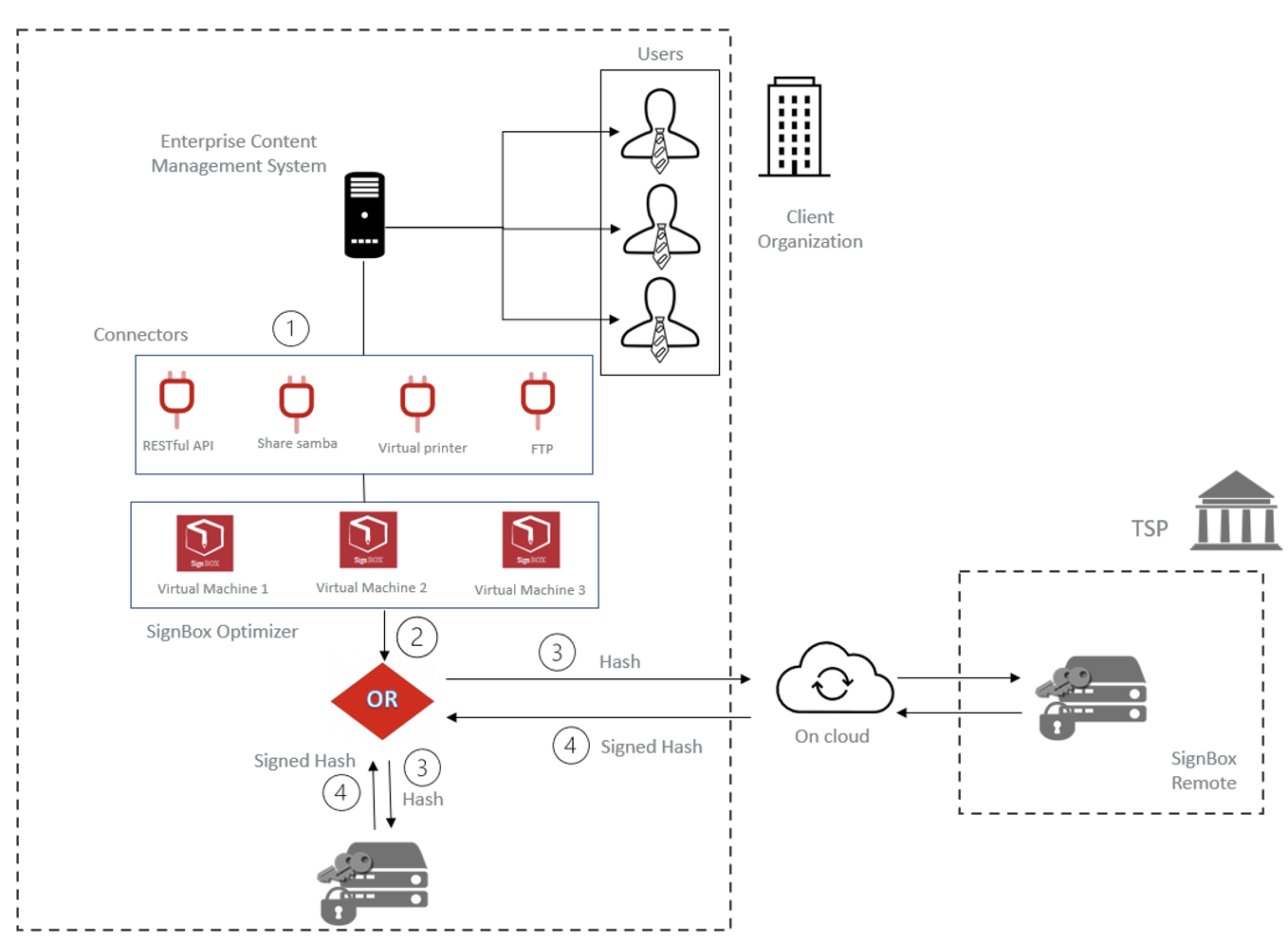
Advantages of using SignBOX:
- Enable Digital Transformation
- Streamline processes and practices
- Easy and straightforward integration
- Real time verification with CRL and OCSP
- Make the most cryptographic hardware
- User-friendly connectors
- Supporting of long-term archiving
- On-premises or On-cloud
- ETSI compliant PADES/CADES/XADES
The system serves can be dedicated as "application server" for signature and time-stamping systems. SignBox in the proposed version includes a Hardware Security Module (HSM) based on a pool of smartcards with associated automatic signature certificates. The internal HSM system can be upgraded to accommodate a number of up to 7 smartcards to ensure better performance and/or a larger number of signers.
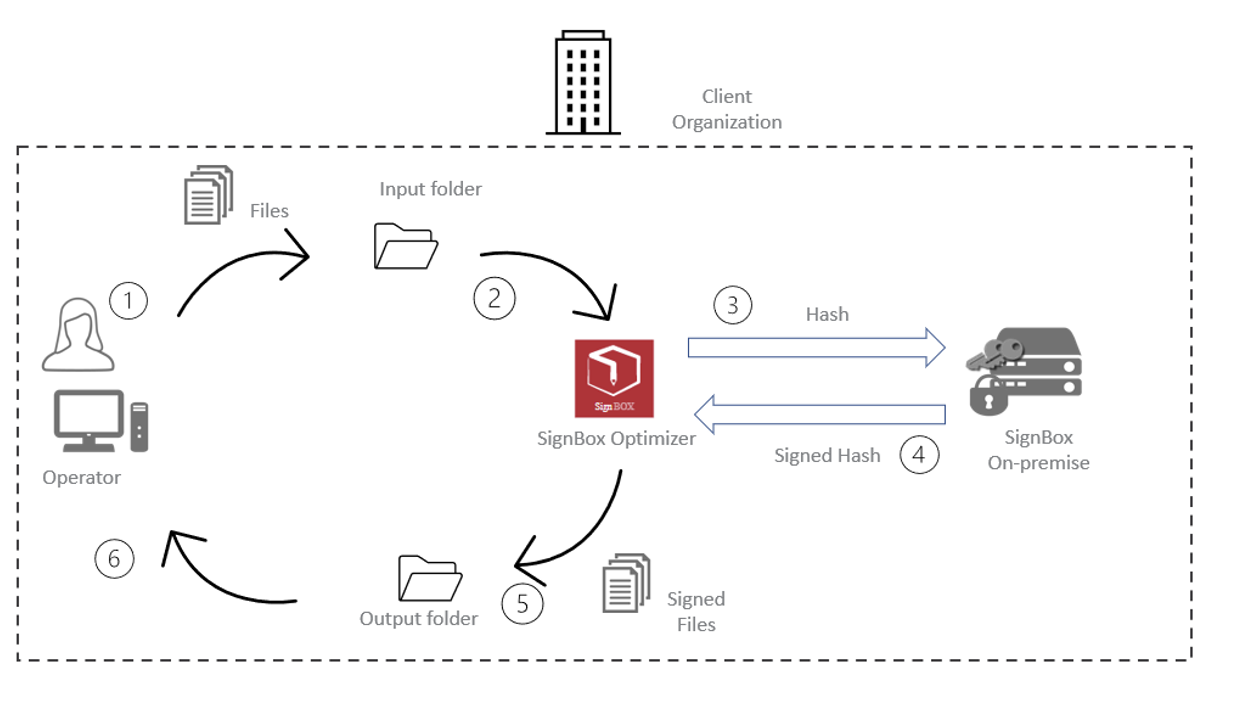
We take as an example the case where the SignBOX is configured to work in polling. In the diagram shown we have two shared network folders. One serves as the input folder (where the files to be signed are deposited) while the other serves as the output folder (where the signed files are deposited instead).
In polling, the optimizer goes to collect the data in the input folder and goes to perform all the relevant computational operations such as hashing the document to be signed. This step is indispensable both in this flow and in the remote flow because by doing so it goes to pass to the HSM only the hash of the document to be signed and not the document itself going to safeguard privacy on those documents. It also goes to simplify the signing operation because this must be done on a much smaller file than the original one. After signing, the signed files are then deposited in the output folder.
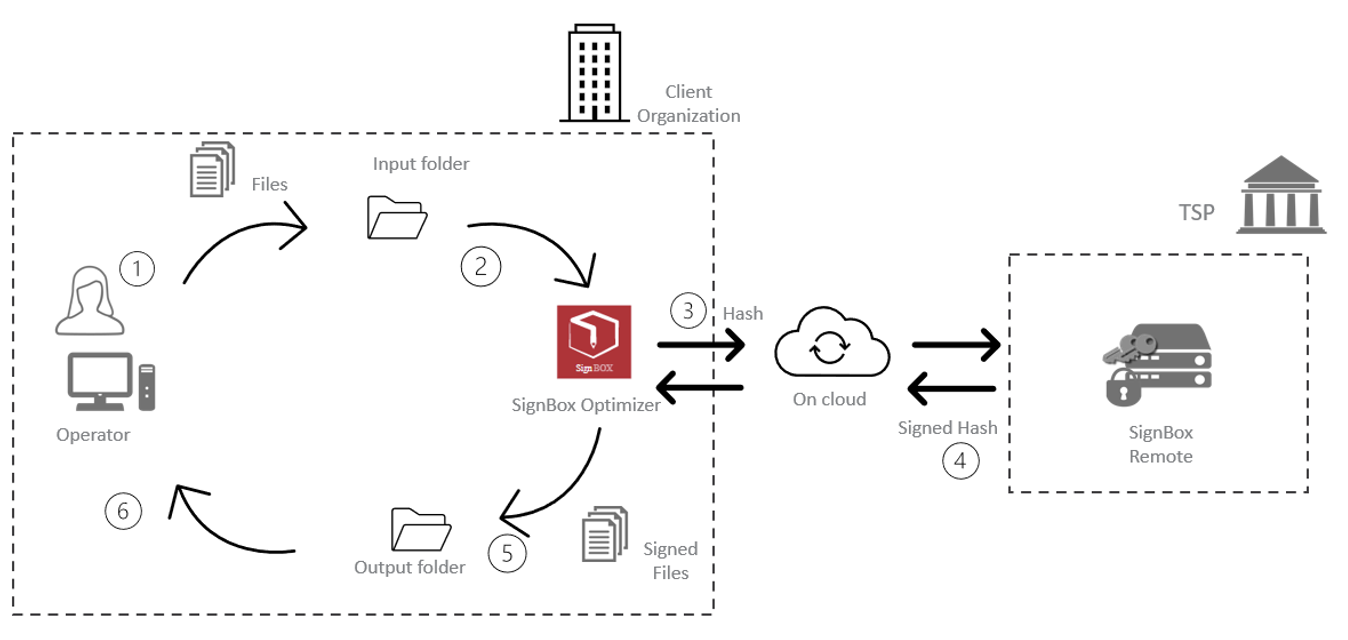
Through configuration which requires SignBox to be used as an automatic signature service offered by a Trusted Service Provider (OnCloud). The client and end users will need to install a lightweight client and agent on the workstation that will:
- retrieve the documents to be signed.
- process locally at the user's PC the hash of the file, thus safeguarding the confidentiality of the document.
- send the hash to be signed to the remote SignBox at the TSP
- receive the signed hash from the TSP and compose locally to the user's PC the digitally signed file.
- save the signed file to the network folder from which the web application will then publish online.