This document describes in detail how to use the Online Verifier (VOL) to verify digitally signed documents, understand how the user interface works, and correctly manage the verification operations provided by the system.
Interaction with the system follows two main steps:
- Upload a document to the system
- Execute one or more verification operations on the uploaded document
The system provides:
- Web interface → for users and administrators
- REST APIs → for third-party applications
All API endpoints are protected by token-based authentication.
The user interface can be accessed via a browser on the following ports:
- 8180 → HTTP
- 8143 → HTTPS
The main interface allows users to perform a verification without authentication.
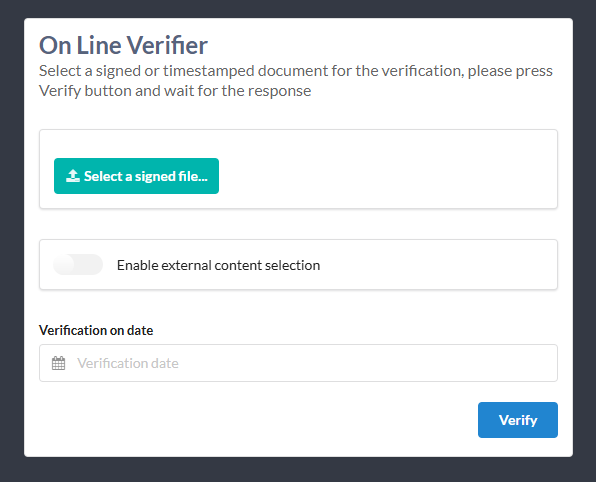
Before the system can perform verifications, the TSL must be updated at least once.
The user selects the document to be verified through:
“Select a signed file…”
The system supports documents in the following formats:
- CAdES
- XAdES
- PAdES
Once the verification is completed, the system displays a report divided into two sections:
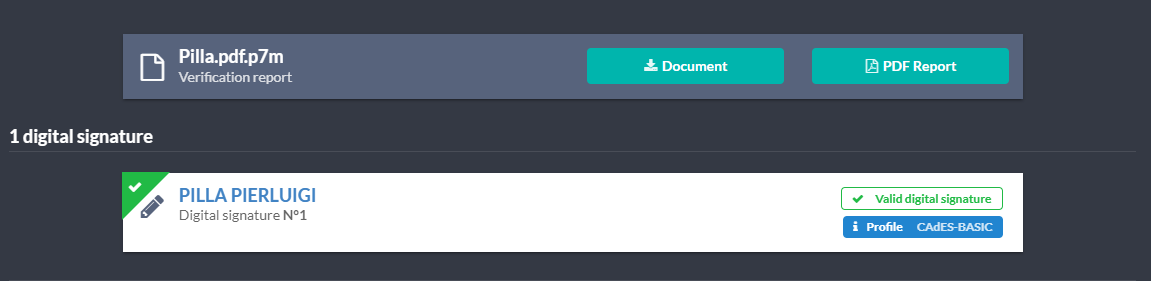
In this section, the user can:
- Download the original document:
- signature container document (CAdES/XAdES)
- signed document (PAdES)
- Download the verification report in PDF format
- View the list of digital signatures present in the document
- Check the validity of the signatures
- View details related to:
- signer
- signature profile
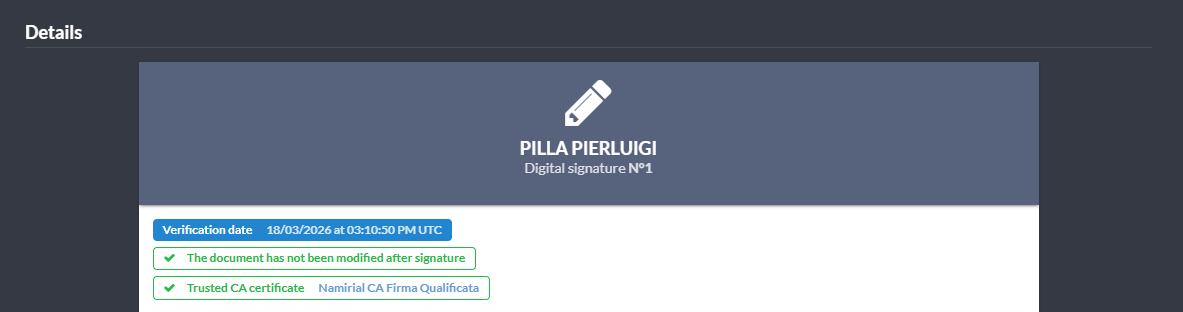
The details section displays technical information such as:
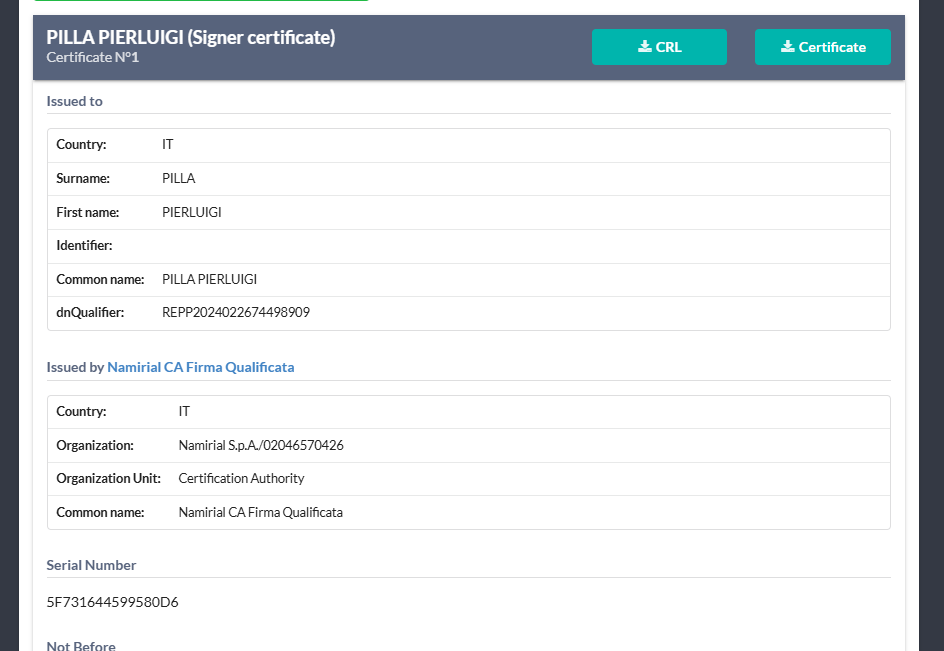
- Signer's certificate
- TSP certificate
- Advanced signature parameters
An additional detailed view is also available:
It is possible to verify a signature with respect to a date different from the current one.
Dedicated interface:
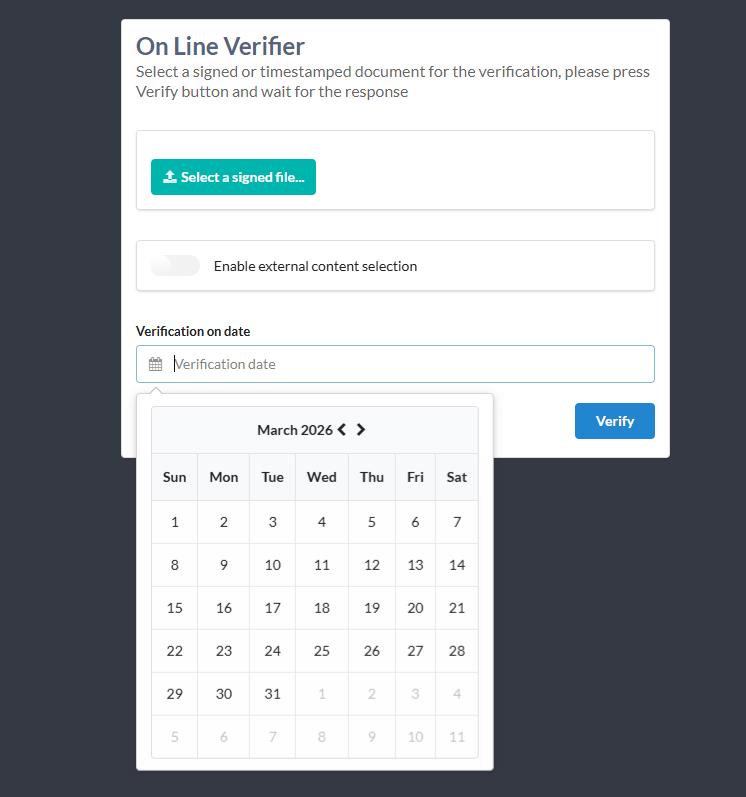
Procedure:
- Select the desired date
- Click “Verify”
The system will perform the verification simulating the signature validity at the selected date.
During the first installation, before performing any verification, it is necessary to update the TSL (Trusted Service Status List).
Procedure:
- Access the administration interface
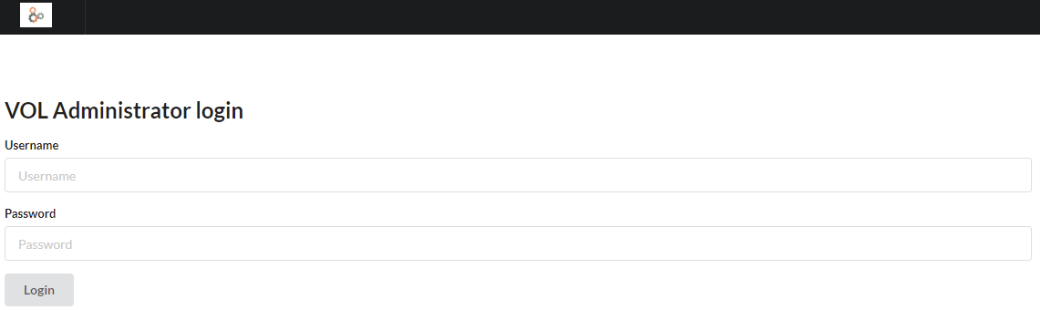
- Authenticate
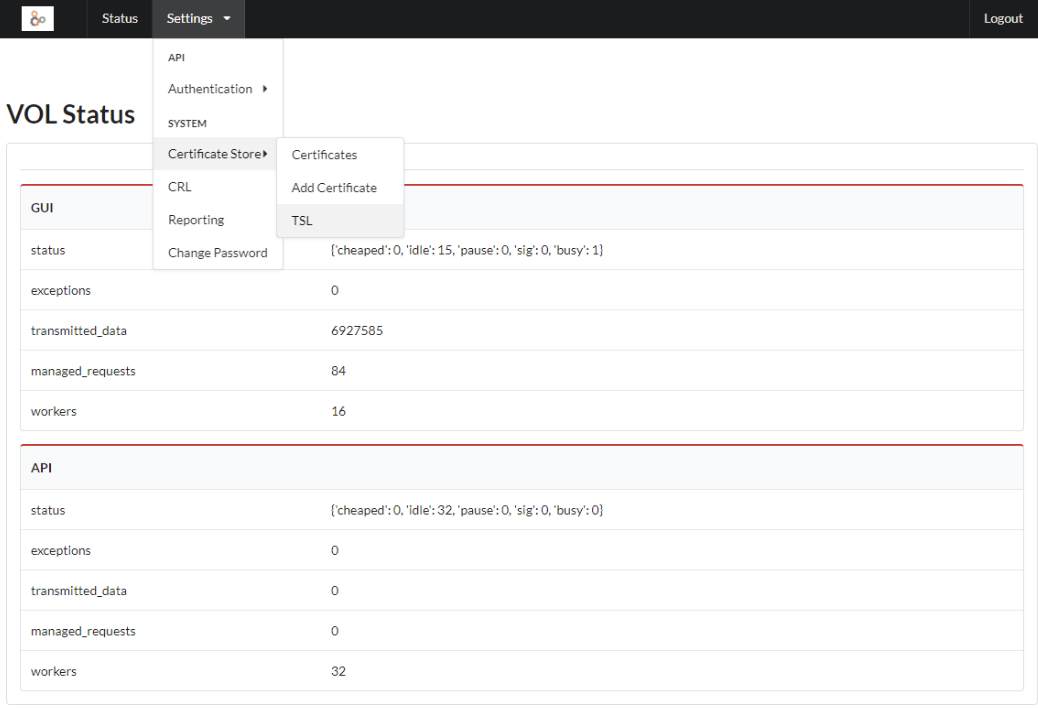
- Select the menu:
Settings → Certificate Store → TSL
- Click “Refresh TSL Store”
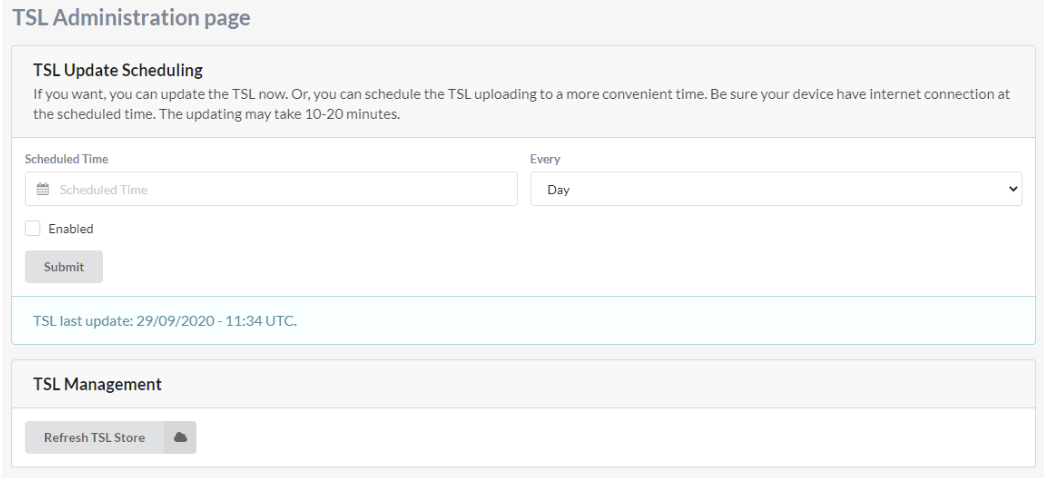
The update may take several minutes depending on network speed.
For system security:
- APIs are protected by token authentication
- Access to the administration interface can be restricted by IP
- CRL and TSL management is automatic and can be updated manually
- Verifications may rely on root and intermediate certificates updated by the system
VOL exposes a set of REST APIs (documented through Swagger).
Access requires:
- a token generated by the administrator
- a client capable of sending HTTP/HTTPS requests
Typical API usage follows the same model as the web interface:
- Upload the document
- Request verification
- Receive the result in JSON