As already said you can use the user data to populate the designated fields in the document by propagating the identification data (using the identification keywords). You have to specify this data in the request type or in the specific request.
However, before proceeding, it is necessary to prepare the document with the appropriate fields that must be filled in with the relevant identification data.
In addition to these pre-filled fields, it is necessary to add at least one Signature field.
With the flows that include the signature part, it is mandatory that there must be almost one signature field in the document. To do it, you have to "prepare a module" with Adobe Acrobat and insert this field:

Below is an example of a document that needs to be signed.
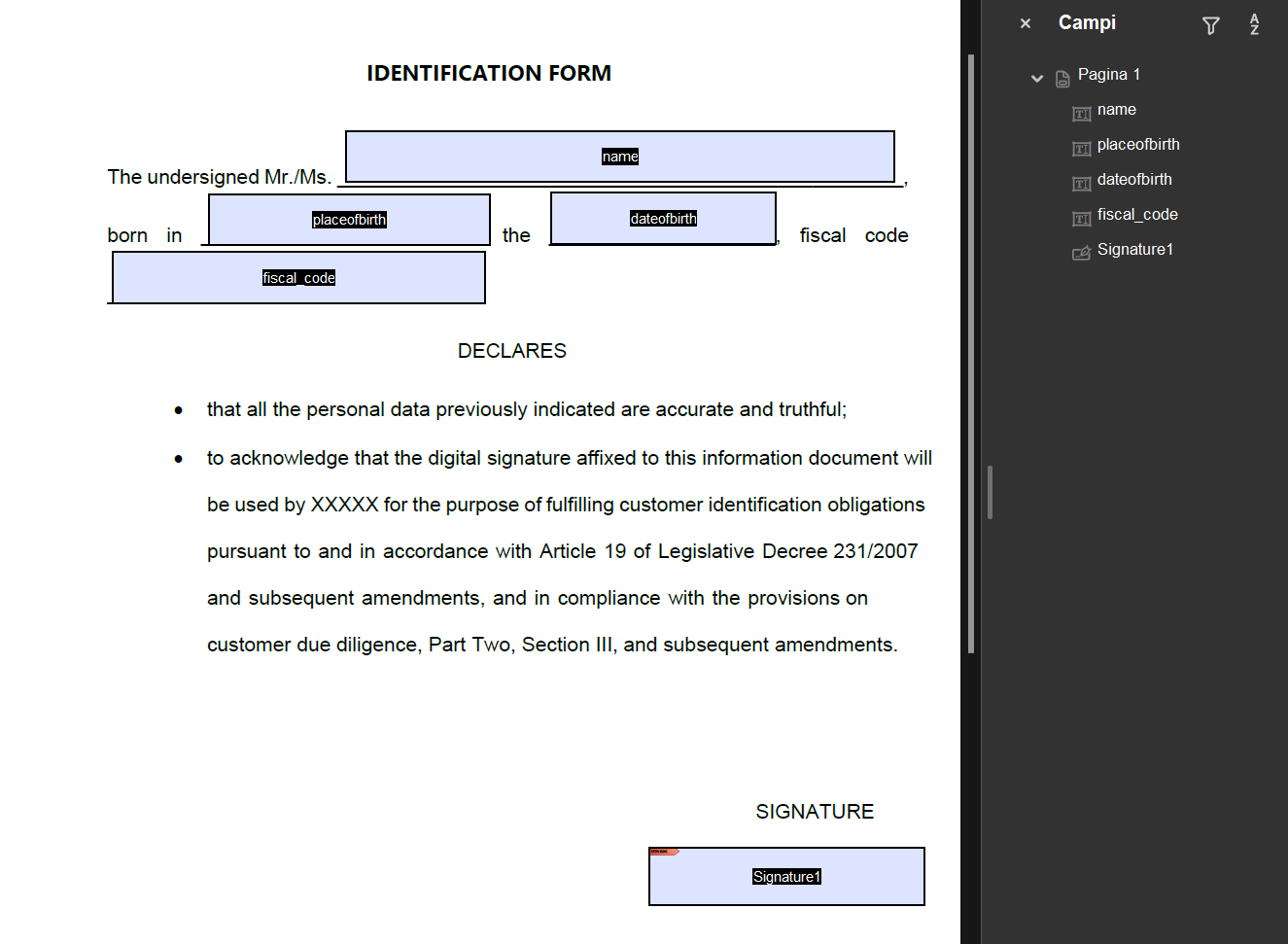
Note: The ID of the field entered in the form must match the one entered in the settings.
It is not mandatory to specify the signature field; if you do not pass that setting (leaving it empty), it will sign all the signature fields it finds.