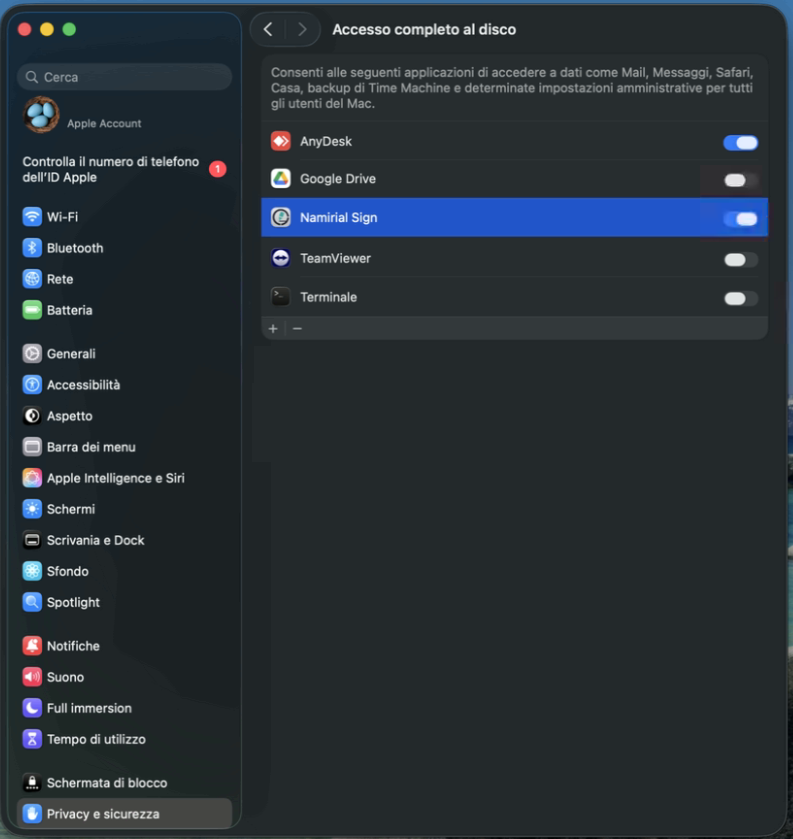
Starting from MacOS 26 Thaoe, you need to grant full disk access permissions to correctly use Namirial Sign with a USB token (Portable version).
Follow these simple steps:
Connect the token to your computer.
In Settings, go to Privacy & Security and select Full Disk Access.
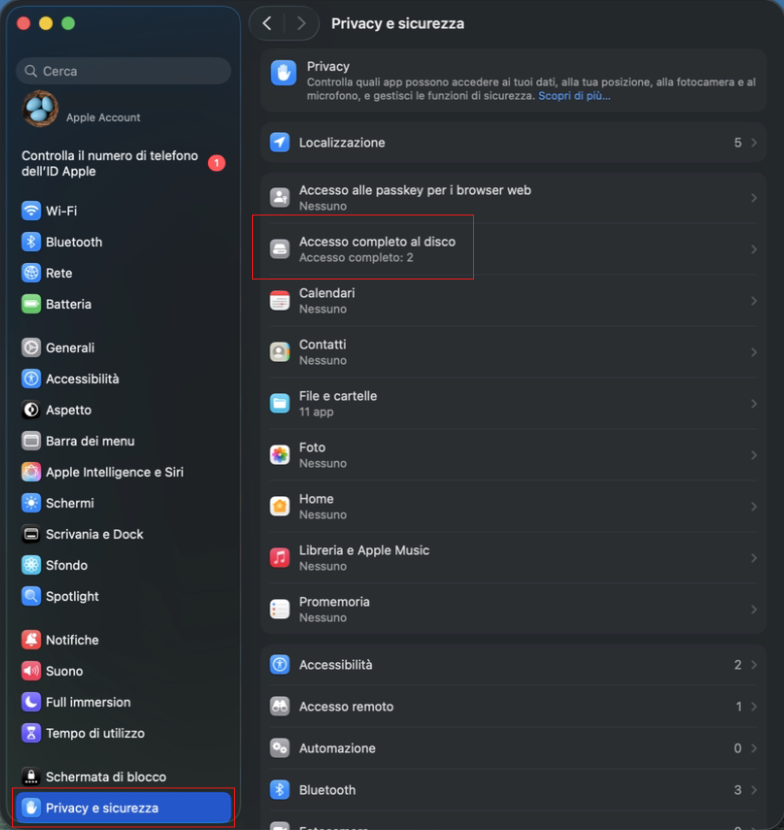
The following screen will appear:
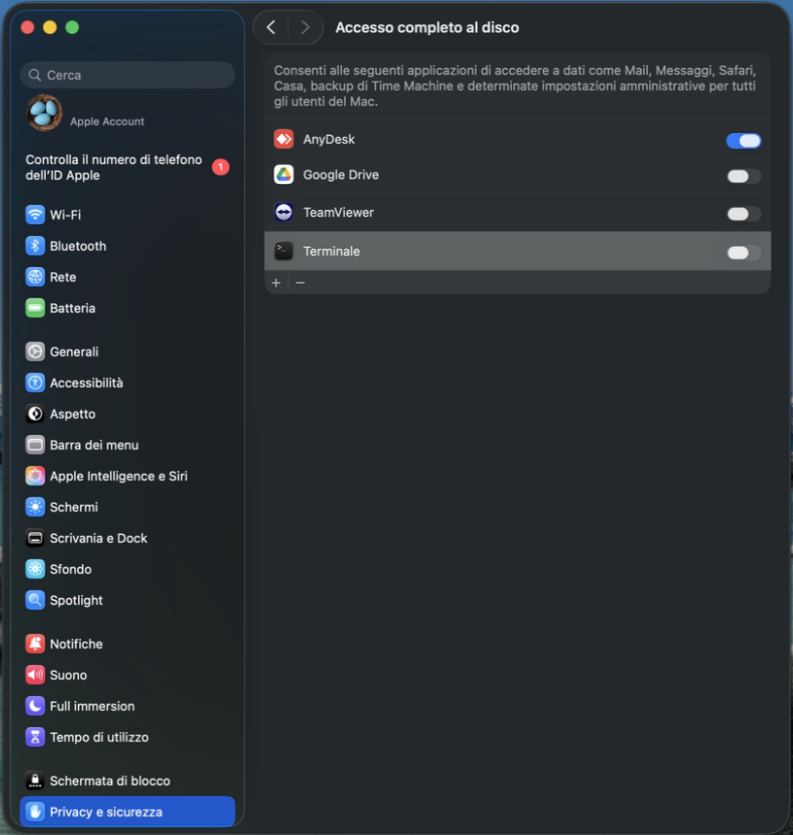
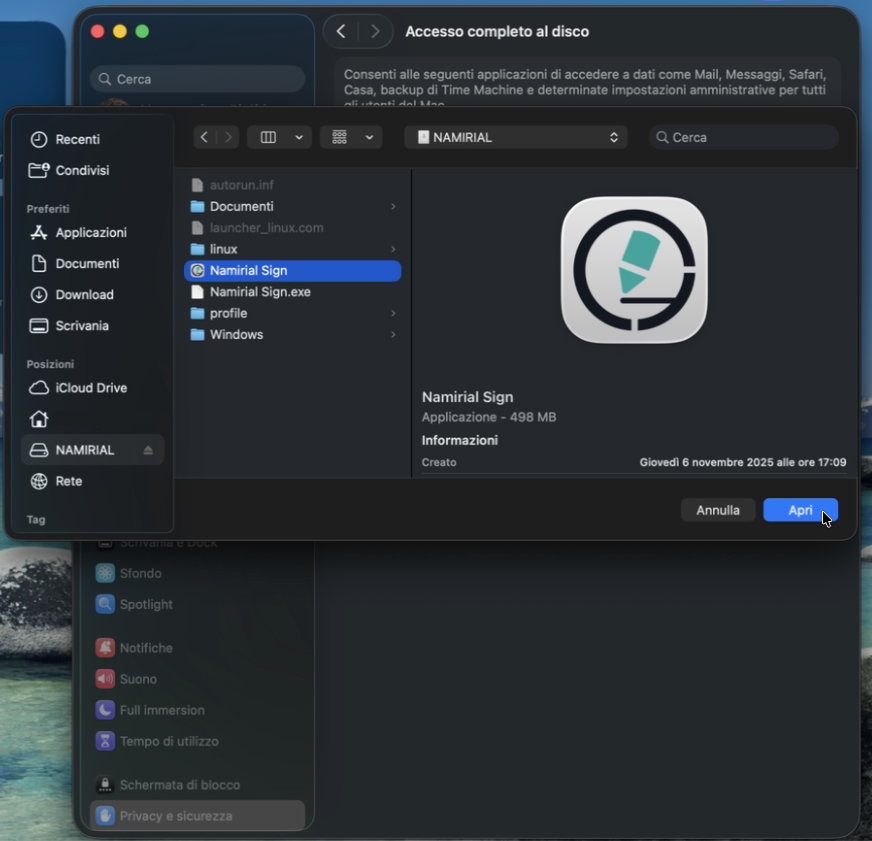
- If Namirial Sign is not listed, click the + button, select the token, and then Namirial Sign.
- Finally, enable Namirial Sign.