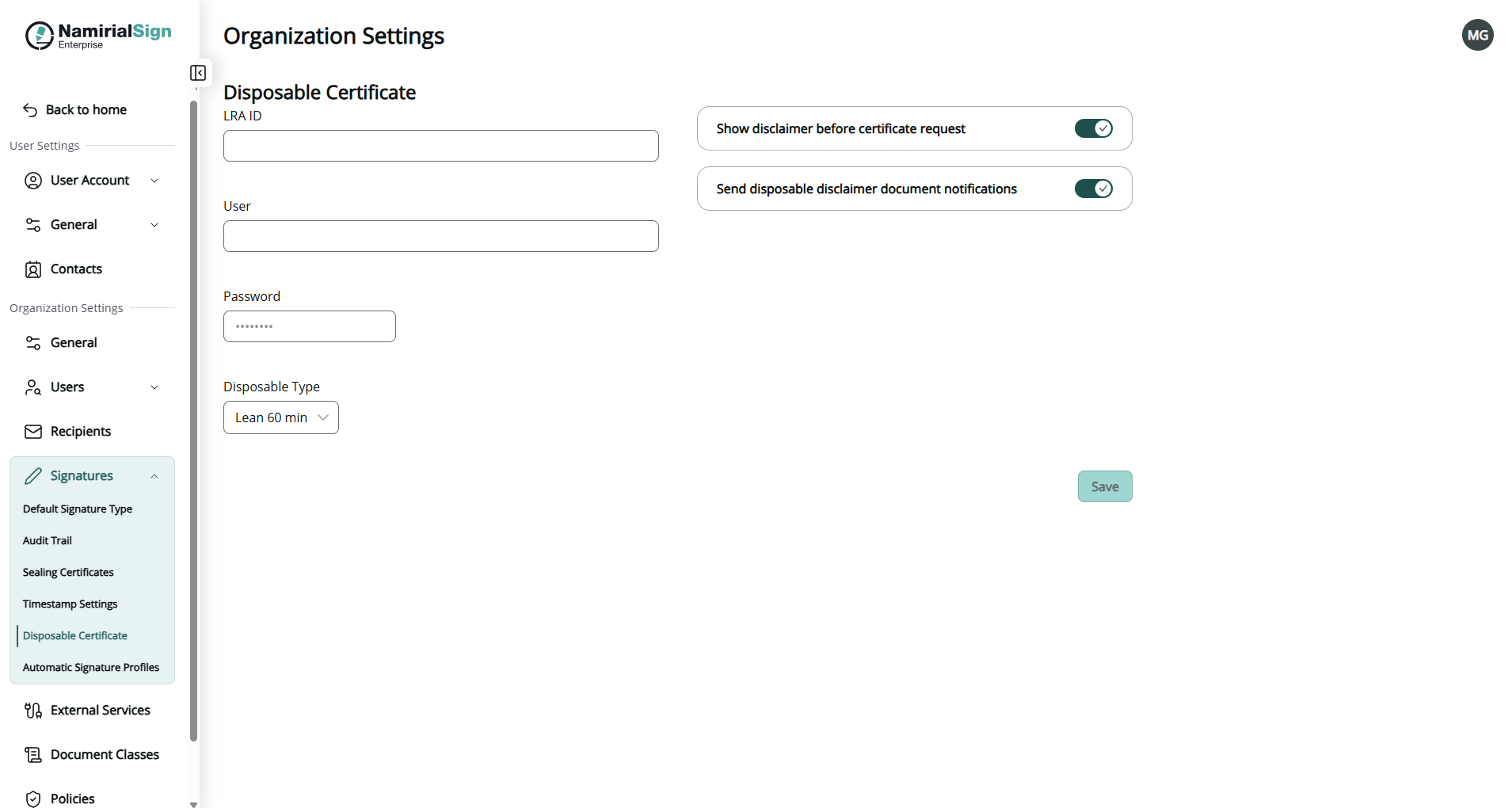
Navigate from the initials on the top right to Settings -> Organization Settings and to Disposable Certificate to configure the Disposable Certificate. Only administrators can see this section and are allowed to perform adjustments.
Certain signing scenarios require the use of disposable signing certificates, which are generated on-the-fly by a Trust Service Provider (TSP) and used for a specific signing session rather than being permanently assigned to a user. Without organization-level configuration, it would not be possible to control whether and how disposable certificates are used.
Following data must be set in order to use a disposable certificate:
- LRA ID
- Local Registration Authority identifier for the disposable certificate provider (Namirial TSP)
- User
- Username credential for the LRA service
- Password
- Password credential for the LRA service
- Choose a disposable type
- Regular disposable
- Lean disposable with validity of 60 min (choose this type unless instructed different or stated different in contracts for the service)
- Lean disposable with validity of 30 days
In addition the following can be set (optional)
- Show disclaimer before certificate request
- When enabled, the signer sees a legal disclaimer about certificate issuance before the certificate request is submitted to the TSP.
- Send disposable disclaimer document notifications
- When enabled, notification emails about the disposable certificate disclaimer document are sent to the signer.
If valid data for disposable certificate are set the envelope sender can configure a disposable certificate signature field on the document in order to let the recipient sign with this specific signature type.