With Namirial Sign, you can decrypt documents that were previously encrypted for yourself or that were encrypted by other users to whom you provided your certificate (.cer).
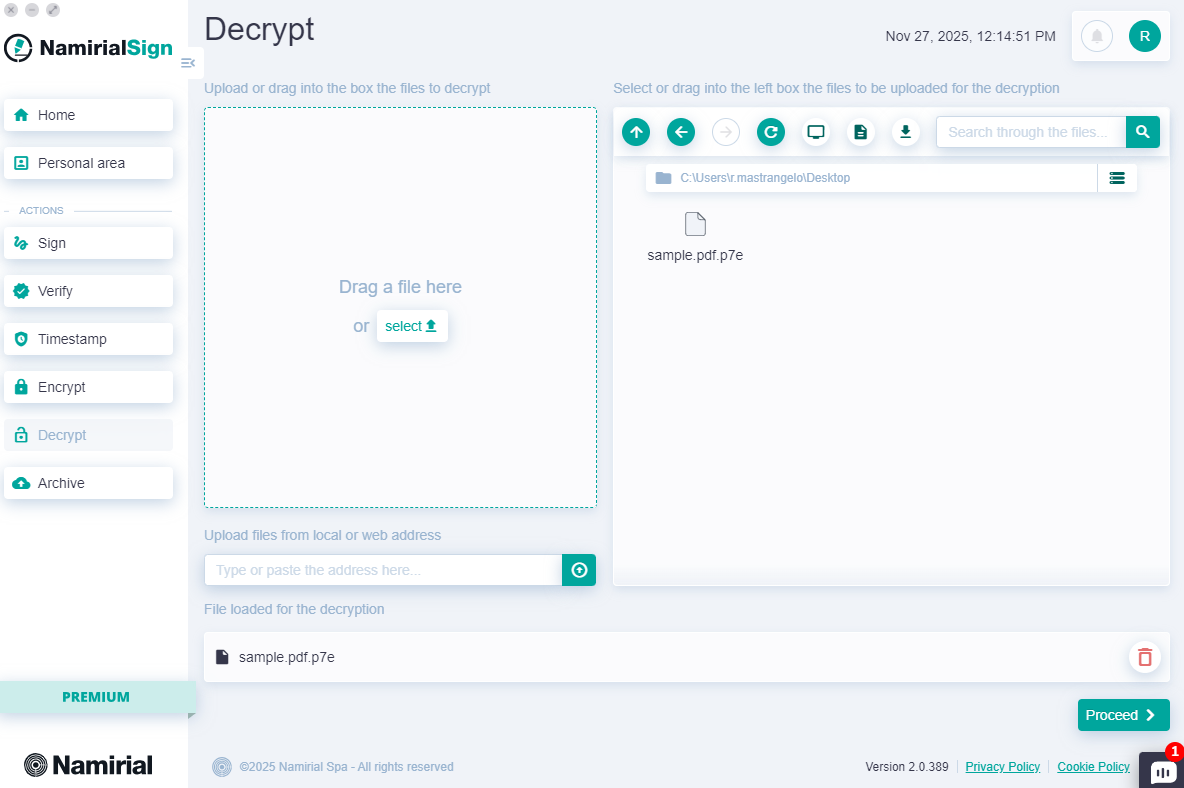
You can start the decryption operation in one of the following ways:
- By clicking the "Decrypt" button in the always-present left menu;
- By clicking the "New +" button on the Home page in the "DECRYPTIONS" card;
- By dragging a file onto the "DECRYPTIONS" card on the Home page.
File selection can be done in four ways:
- Dragging it into the top left section from the desktop or a folder;
- Clicking "select" and browsing files from the operating system;
- Entering the file link, which can be a local or web path;
- Using the integrated explorer on the right.
Once the document is added to the decryption queue, press "Proceed".
On the next screen, all personal certificates for which encryption was performed (either by yourself or by the person to whom you sent the public certificate .cer) are shown.
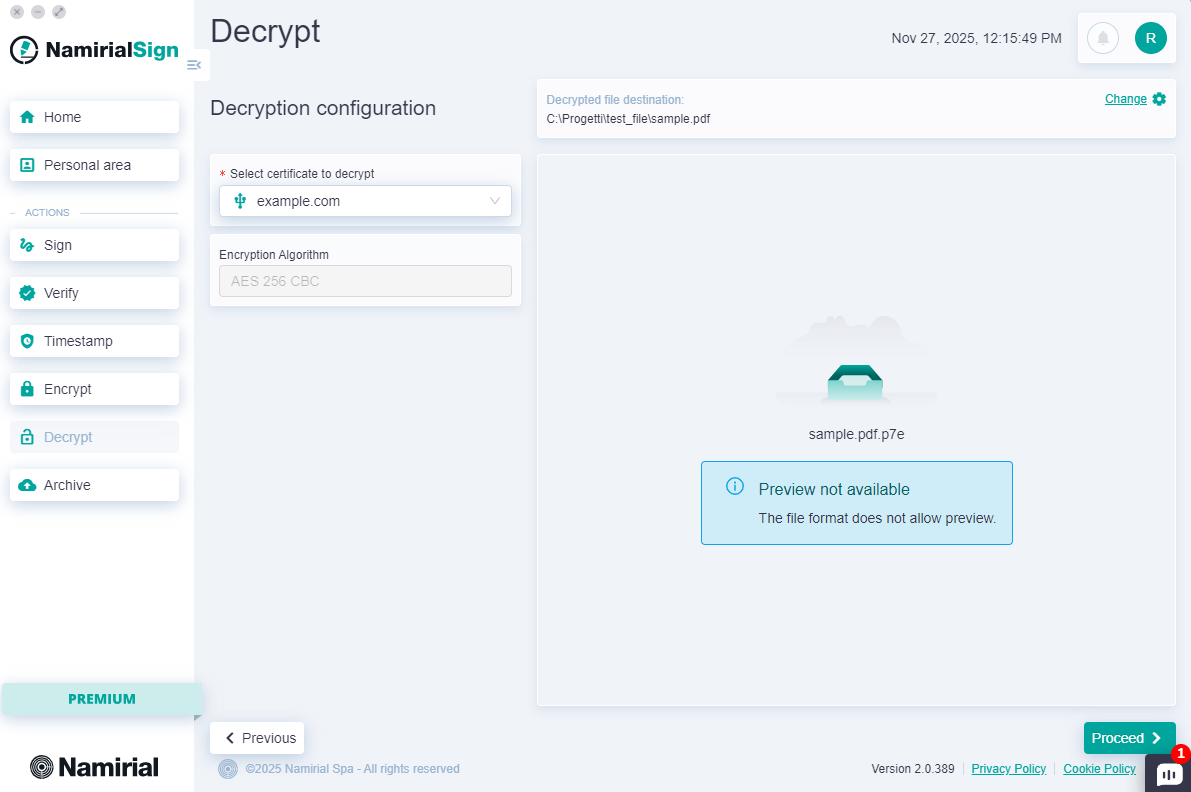
After verifying that the certificate has been identified and selected, press "Proceed" and the system will prompt you to enter the PIN.
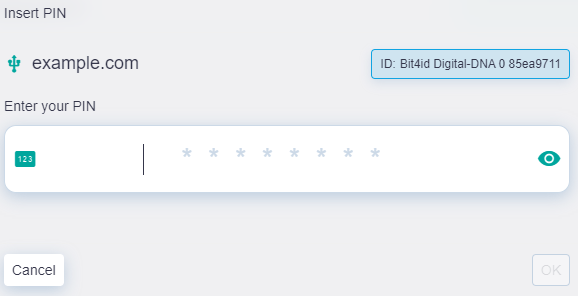
After entering the PIN, press "OK".
At this point, you need to wait for the file decryption to complete; a report will be shown with the file being decrypted and its completion status.