In this section, you can apply a series of general settings that can speed up your experience using Namirial Sign.
You can define which are the source and destination folders for the various operations offered by Namirial Sign.
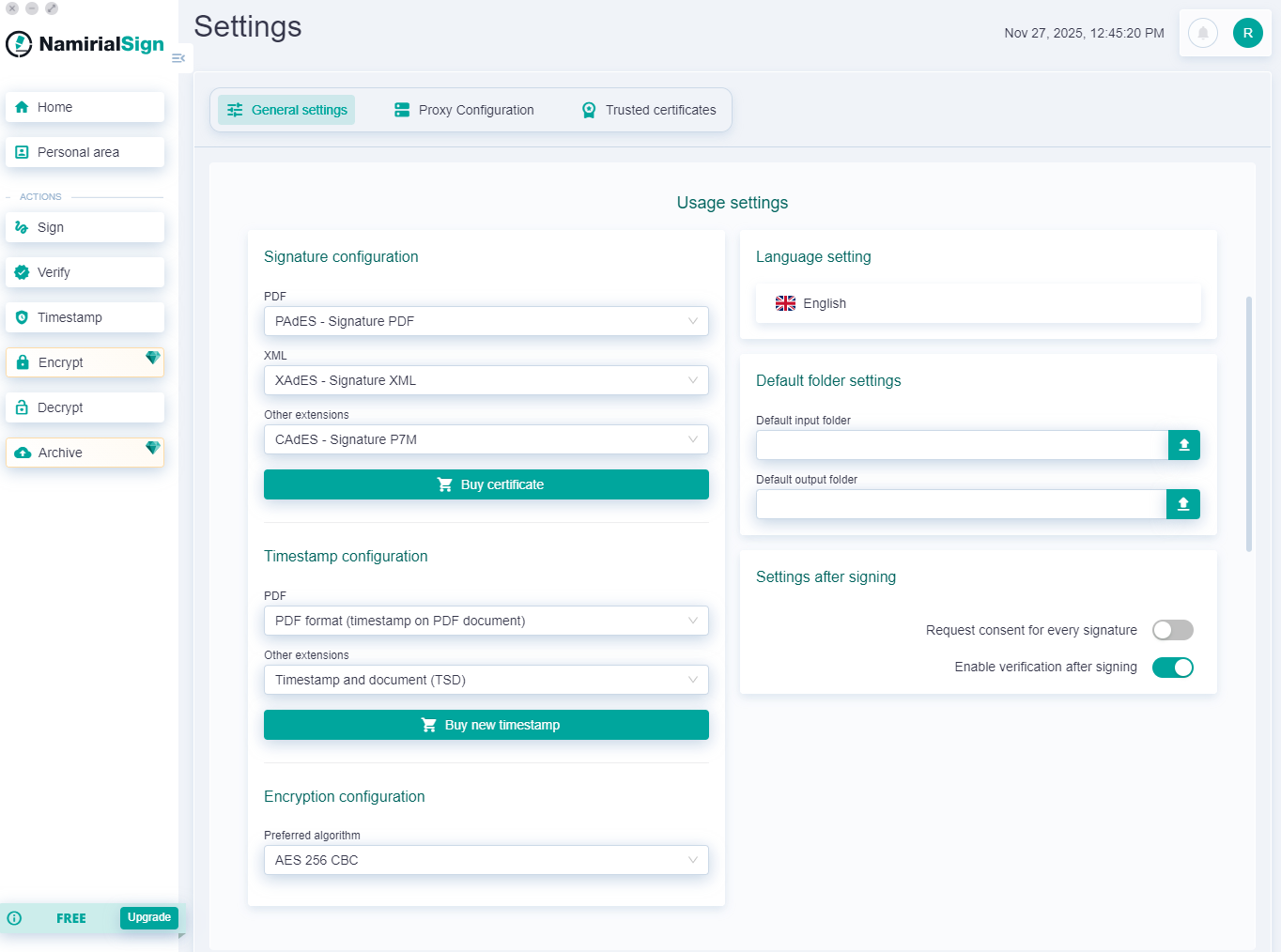
On the same screen, you can change the language.
In the left column, you can select the default formats based on the file extension.
Specifically, you can define:
- For the signing operation:
- For .pdf files: PAdES, CadES, XadES, ASiC-S CAdES, ASiC-S XAdES
- For .xml files: CadES, XadES, ASiC-S CAdES, ASiC-S XAdES
- For all other files: CadES, XadES, ASiC-S CAdES, ASiC-S XAdES
- For the timestamping operation:
- For .pdf files: PDF, TSR, TSD, TST, M7M
- For all other files: TSR, TSD, TST, M7M
- For the encryption operation:
- Default algorithm: AES 256 CBC, AES 128 CBC, DES EDE3 CBC
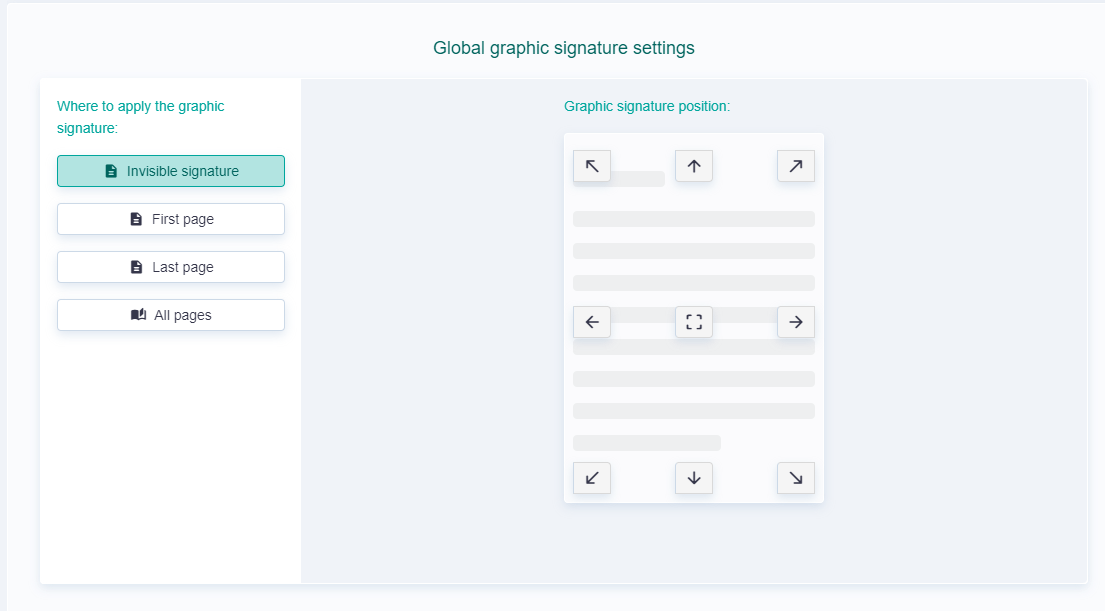
To speed up the insertion of the graphic signature in the case of PAdES signing, you can set a default position for the signature box. You can choose between:
- Invisible signature
- Insert on the first page
- Insert on the last page
- Insert on all pages
Additionally, regardless of the selected page, you can choose the signature position from those available in the figure.
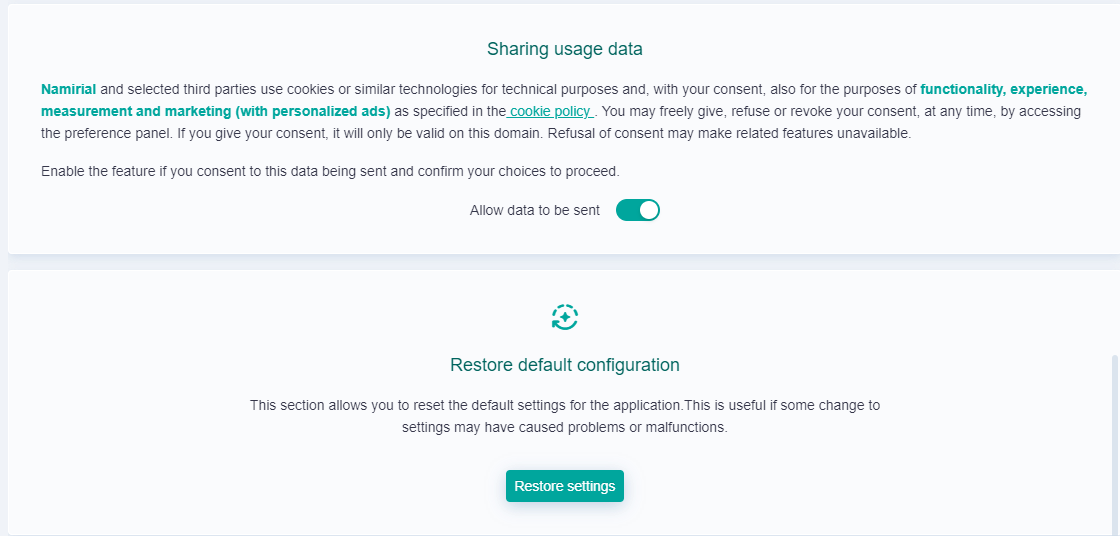
At the end of the settings page, there are two sections.
The first concerns consent to the anonymous sharing of usage data, which can be changed by the user at any time.
The second is used when you want to restore the initial configuration of Namirial Sign, by clicking the "Restore configuration" button.