This is a PREMIUM feature
To use this feature, you must first log in on the Namirial Archive section of the Personal Area.
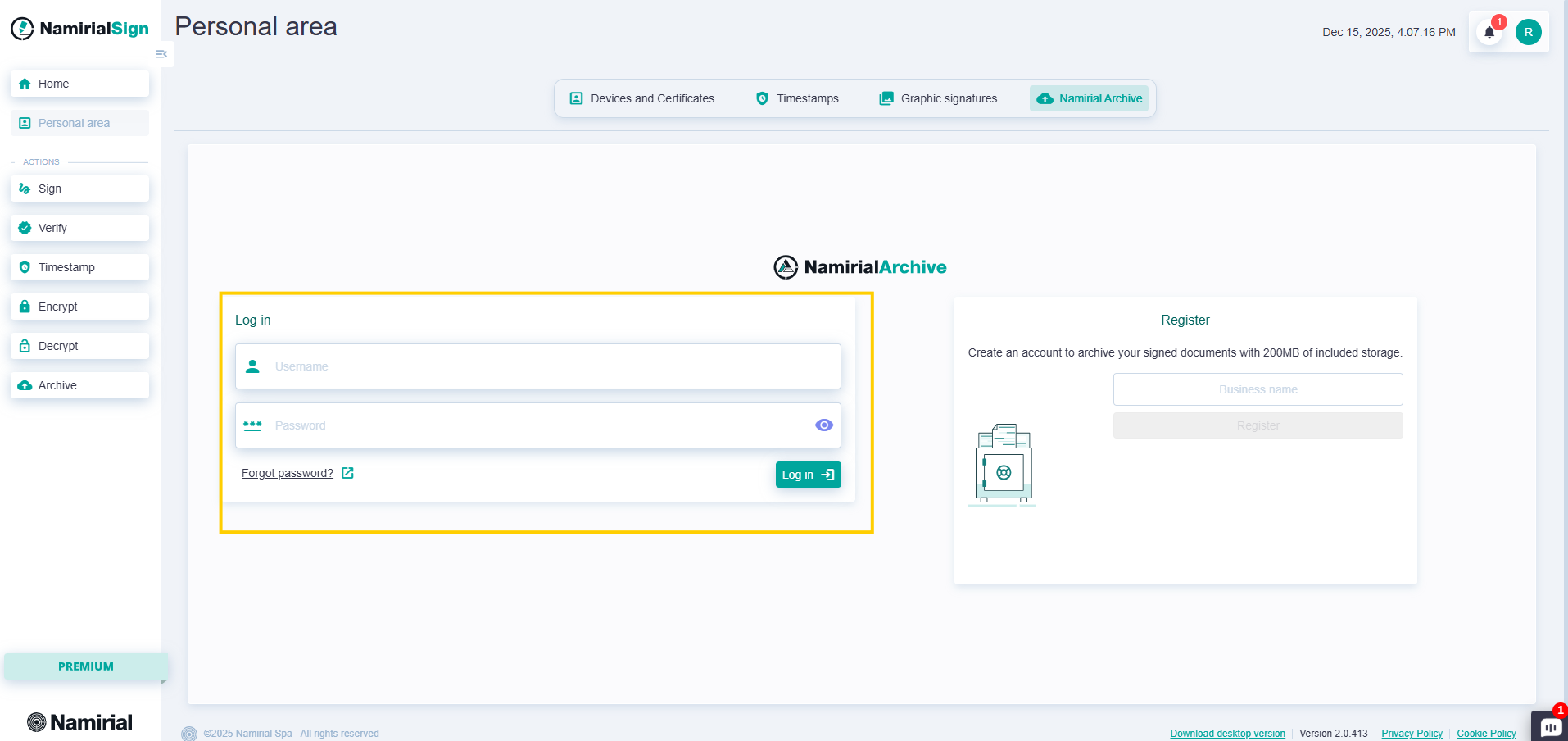
After logging in with the username/password provided by Namirial Archive, you can access the file upload page.
You can start the upload operation to Namirial Archive in one of the following ways:
- By clicking the "Upload document" button in the Namirial Archive page, accessible through the left menu;
- By clicking the "New +" button on the Home page in the "NAMIRIAL ARCHIVE" card;
- By dragging one or more files onto the "NAMIRIAL ARCHIVE" card on the Home page.
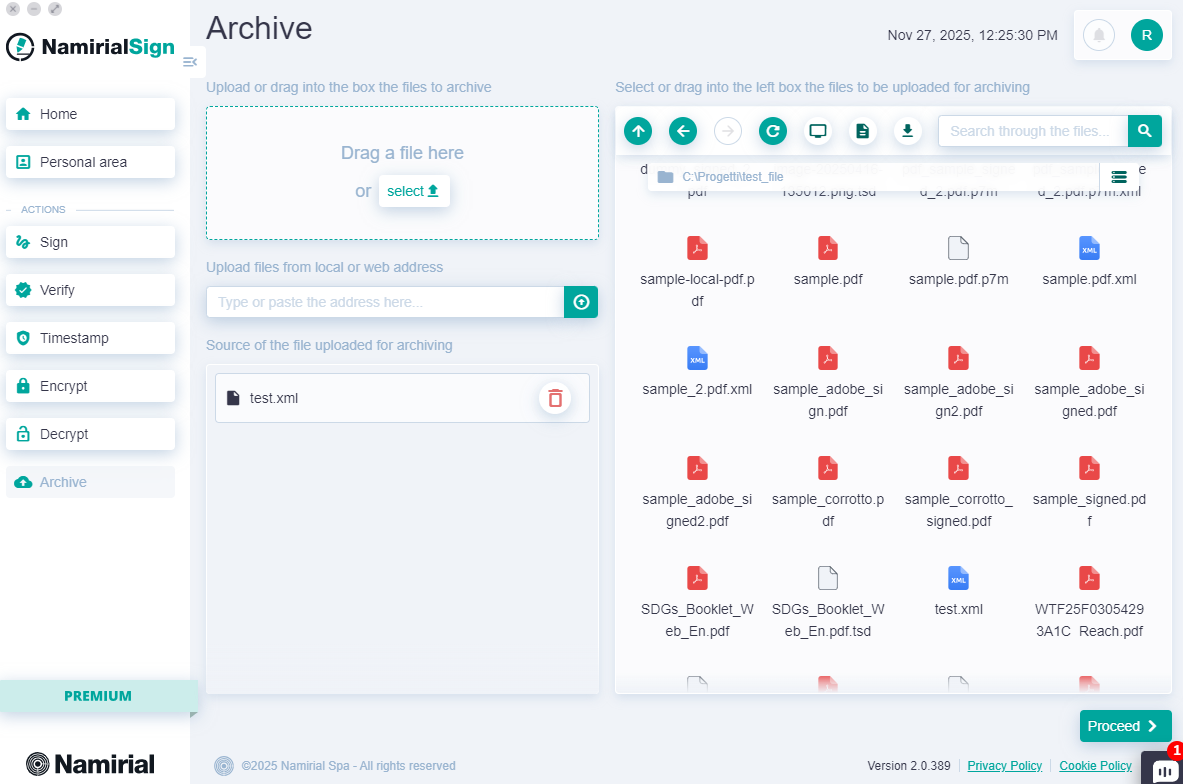
File selection can be done in four ways:
- Dragging it into the top left section from the desktop or a folder;
- Clicking "select" and browsing files from the operating system;
- Entering the file link, which can be a local or web path;
- Using the integrated explorer on the right.
After selecting one or more files, you must fill in all the required fields for archiving.
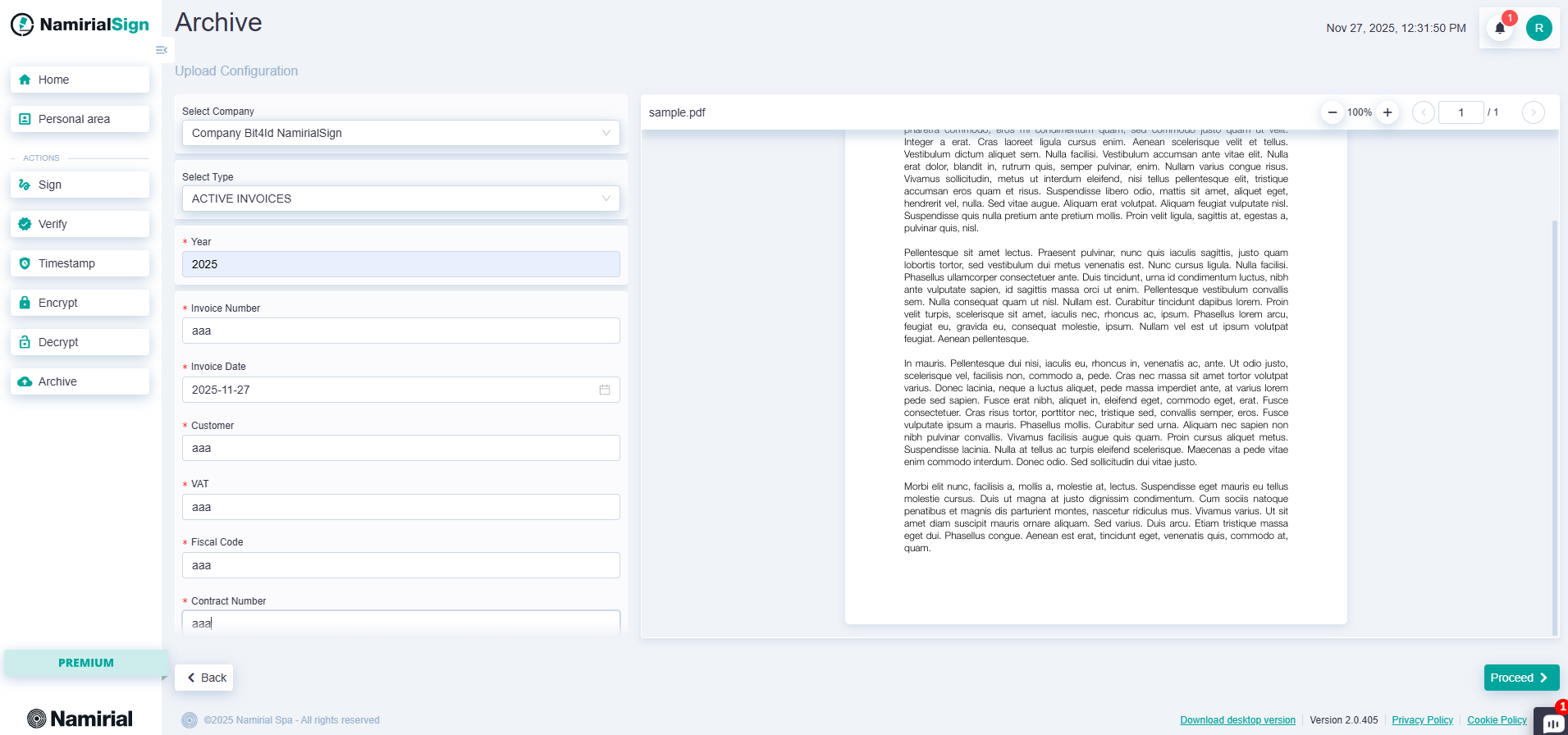
Specifically, you need to:
- Select the Company (the first is preselected by default)
- Select the Document Type (the first is selected by default)
- Enter the reference year
- Enter the required fields for the selected document type
After entering all the information, press the "Proceed" button.
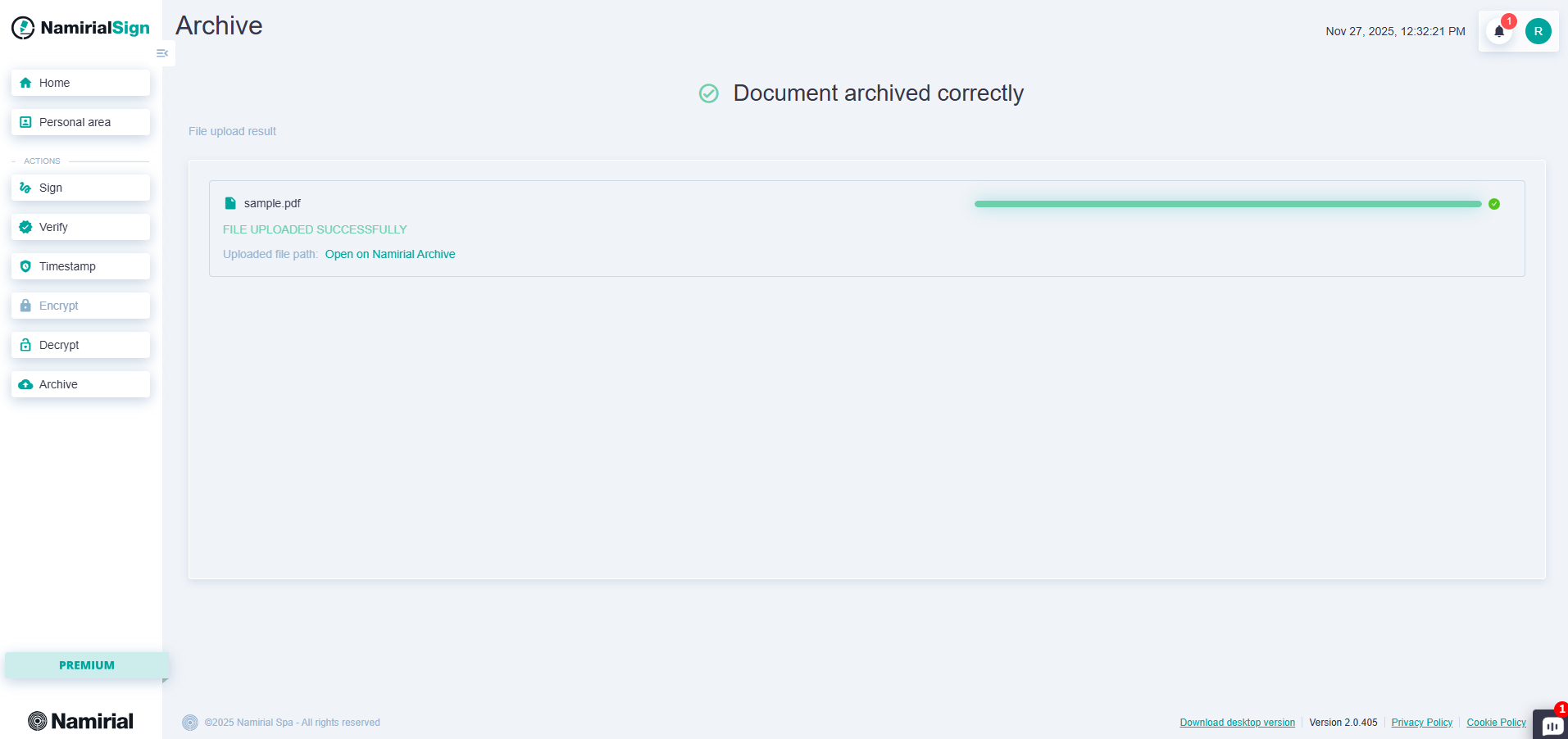
At this point, you need to wait for all files to be uploaded; a report will be shown with the list of files being archived on Namirial Archive, and their completion status.